Sometimes you need a clean picture of a room and can't reshoot it: the client wants to see the space today, the tenant is still living there, or the photographer has already left. AI photo cleanup lets you work from the photo you have. Here is how to choose the right kind of cleanup and what to check before you send the result.
Option 1: Remove the clutter, keep the furniture
This is the right choice when the furniture is fine but the room looks lived-in: laundry on the bed, cords along the floor, paperwork on the counter, family photos on the shelves.
SofaBrain's Magic Eraser finds common clutter on its own (trash cans, cords, signs, parked cars, personal photos, toys, laundry and paperwork), removes it and fills each area to match the surroundings. The furniture and decor stay where they are. It works on the whole photo, so you don't select objects one by one. Each photo costs 1 credit, and a free account includes 3 credits with no credit card.
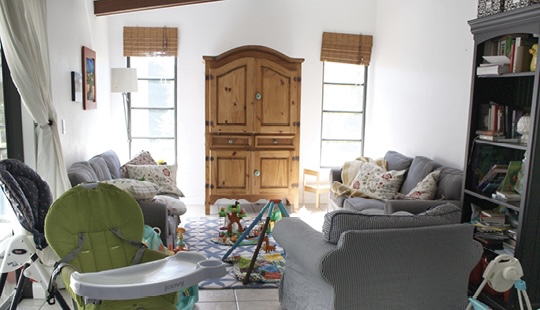
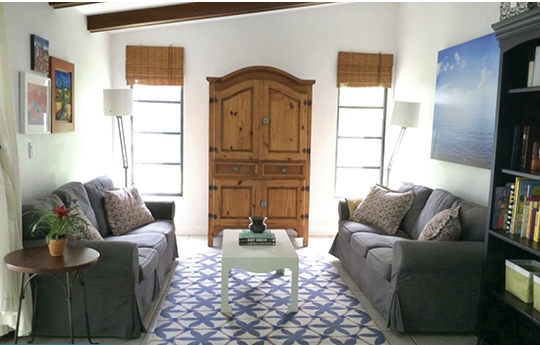
The goal is a room a viewer can read at a glance: clear floor, clear surfaces, nothing personal. The example below was restyled as well as cleared (the coffee table, rug, lamps and art are new), so treat it as the target look; Magic Eraser itself keeps the furniture you already have.
If you need to remove one specific item instead, such as a single chair or a TV, the editor in the design studio has an Erase option: paint over the object and it is replaced with background that matches the rest of the room.
Option 2: Empty the room
Choose this when the furniture itself is the problem: it is dated, too big for the room, or belongs to a seller who is moving out. An empty room shows the real size, the floor and the light, and it gives you a clean base for virtual staging.
The Declutter tool removes furniture, clutter and decor and keeps the walls, floors and windows. The design studio offers the same thing under "Clean it up". From there you can stage the empty room in a new style with virtual staging.
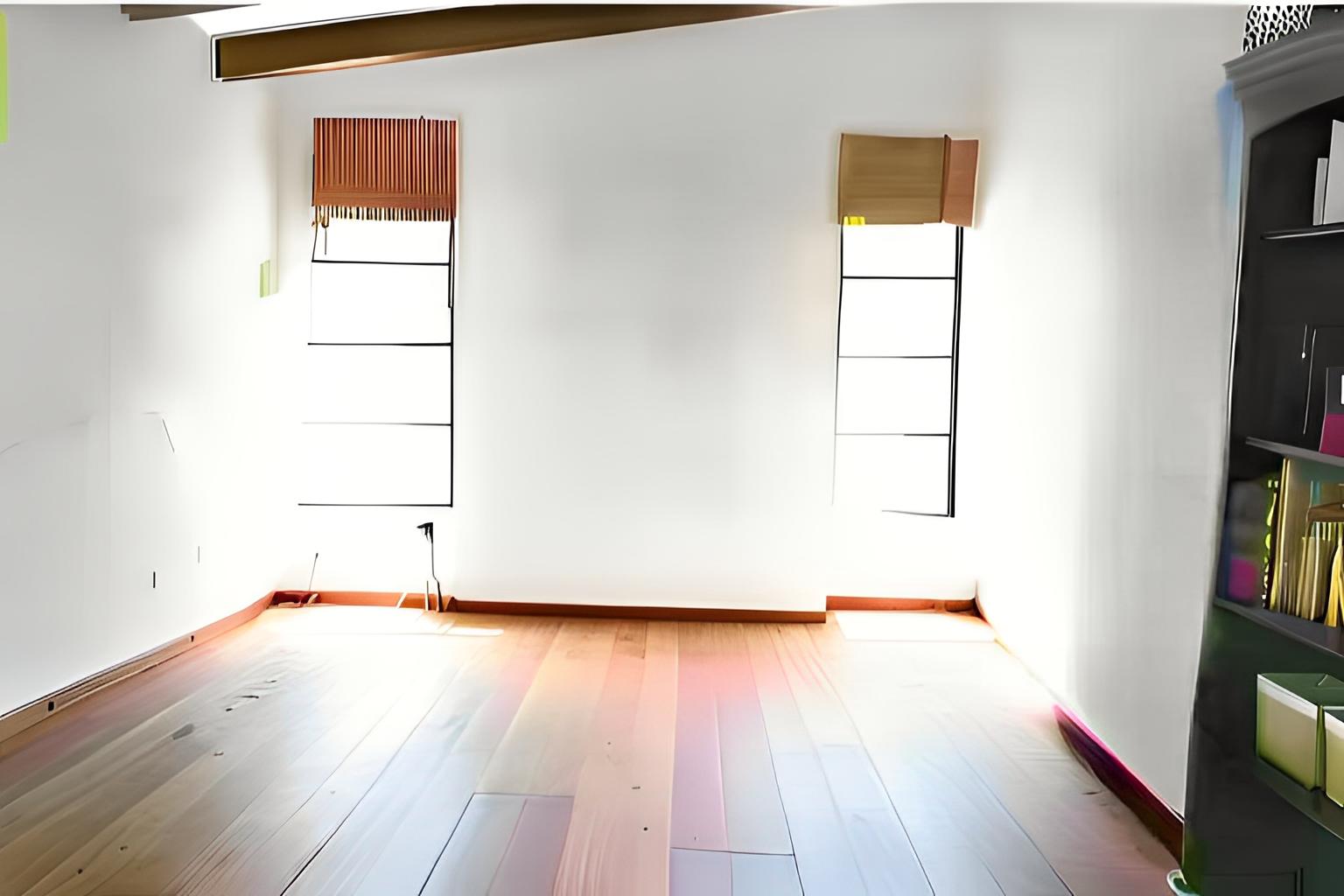
Look closely at this example and you will see why review matters: the furniture is gone, but the original tile floor has come back as wood boards. A change to a permanent feature like that is exactly what to catch, and redo, before a photo goes anywhere.
Getting a clean result
- Start with a good photo. A level, well-lit, high-resolution shot gives the AI more to work with. Dark corners and heavy blur make fills less convincing.
- Compare with the original. Check baseboards, outlets, vents, window views and floor patterns where objects used to be. AI fills can invent or drop small details.
- Run it again if needed. Very crowded rooms sometimes need a second pass, or an empty-room result followed by a few touch-ups.
- Keep it honest. Remove temporary items, never permanent features. If an edit hides a stain, a crack or a power line, discard it.
Before you use the photo in a listing
Removing a tenant's belongings or emptying a room changes what the photo shows, so treat it like virtual staging: label it and keep the unedited photo available. Rules vary by MLS and state. California's AB 723, in effect since January 2026, requires a disclosure next to digitally altered listing images and access to the original; see our AB 723 guide and the disclosure language guide for wording you can adapt. When you download an edited image, SofaBrain can add a disclosure label to it and include the original photo.
Frequently asked questions
How does AI remove objects from a room photo?
The AI first finds the objects to remove, either automatically or from an area you paint over, and then generates new pixels for that area based on the surrounding floor, walls and light. Automatic tools look for common clutter on their own and leave the furniture alone, while brush-based tools remove exactly the area you paint over.
Can AI empty a fully furnished room?
Yes. A declutter or furniture-removal tool removes the furniture, decor and clutter and keeps the walls, floors and windows, leaving a vacant version of the room. Check the result against the original, because the AI has to guess what the floor and walls look like behind large pieces.
Is it OK to remove clutter from real estate listing photos?
Removing temporary items like clutter, cords and personal belongings is common practice. Never remove or alter permanent features of the property, such as stains, damage, power lines or fixtures, because that misrepresents the home. When a listing photo has been digitally altered, disclose it and keep the original available, following your MLS and state rules.
What is the difference between decluttering and furniture removal?
Clutter removal takes away small loose items and leaves the furniture in place, so the room still looks lived-in but tidy. Furniture removal empties the room down to its walls, floors and windows. Use clutter removal for occupied homes that just need tidying, and full removal when you want to show the empty space or restage it.
Do I need Photoshop skills to clean up listing photos?
No. Removing objects by hand in Photoshop takes practice with cloning and fill tools and real time per photo. AI tools handle the fill for you, though you should still review each result and redo any photo where something permanent changed.