For investors and house flippers
AI renovation previews for real estate investors before the work starts.
Take a photo of the property as it is and see the rehab: new cabinets, a new bathroom, fresh finishes, a better front of the house. Show partners and contractors the plan, then stage the finished rooms when it is time to sell or rent.
- 3 free credits for new accounts
- 1 credit per preview or edit
- Studio: $59 a month for 100 credits
A real result: the after is what kitchen cabinets made from the before. Drag to compare.

How it works
The property as it is in.The rehab you have in mind out.
Works from a walkthrough photo on your phone. Your photo stays next to every result, so the before is always there.
- 1
Snap the room or the front
A photo from the walkthrough, the listing or the inspection. Dated, empty or full of the last owner’s things.
- 2
Pick what the rehab changes
A whole new style from 27, or one item at a time: cabinets, the bathroom, floors or the facade.
- 3
Compare and share
Put the before and after side by side and share them with your partner, your contractor or the buyer’s agent.
The tools
Scope the rehab,then market the finished home.
Preview the work before you commit to a scope, then stage the empty rooms when the property is ready to list or rent.
 Japandi
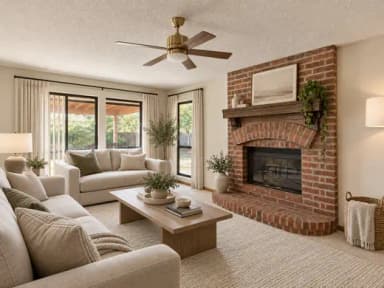 Modern
 Industrial
Before you commit
A preview, not an appraisal.Useful before you spend.
- Change one thing, like the cabinets, and the rest of the room stays.
- Ask for a light refresh or a full gut and redesign.
- Your photo stays next to every result.
- Free cost calculators help you price the scope you like.
Good to know
- Not a valuationA preview shows what a rehab could look like. It says nothing about cost or resale value. Price the work with your contractor and value the property the usual way.
- Listing the finished homeWhen you sell or rent, show the property as it is. Label staged photos, keep the originals and check the local rules.Disclosure wording guide
- Private or publicDesigns made on free accounts are public. Subscribers can keep them private, and new designs start private for them.
Next: listing videos
Sell the finished flip with a video.From the listing photos.
The finished photos, staged rooms included, become a narrated, captioned listing video, in every format, with an unbranded MLS version.
See listing videosPricing
Free to start.Then from $59 a month.
New accounts get 3 free credits. Most edits and redesigns use 1 credit, and every tool draws on the same balance.
Free account
$0
To try it on your own photos
- Credits
- 3
- Your original beside every result
- Always
Studio
$59 a month
100 credits every month
- Photo edit or redesign
- 1 credit
- Upscale a result
- 2 credits
- Listing video
- 30 credits
Can I see a renovation before I buy or start work?
Yes. Upload a photo of the room or the front of the house, then pick a style or the item to change. SofaBrain shows the same space with the new look next to your photo. It is an AI-generated preview to plan with, not a quote.
Can I change only the kitchen or the bathroom?
Yes. Focused tools change only the kitchen cabinets, the countertops, the floor, the walls or the bathroom, and keep the rest of the room.
Can I show the previews to a lender or a partner?
You can share them to explain the plan. They are AI-generated images of what the work could look like, not evidence of cost or value, so keep your scope, budget and comps as the numbers that count.
Can I use the images to market the finished property?
Use photos of the finished home for the listing. Virtual staging can furnish the empty rooms; label staged photos and keep the originals, because some states and MLSs require staged photos to be disclosed.
Does it work for rentals?
Yes. Preview a refresh between tenants and stage the empty unit for the rental listing. Some rental sites ask for photos that match the unit, so label staged photos there too.
How much does it cost?
New accounts get 3 free credits. Most photo edits and redesigns use 1 credit each. After that, plans start at $59 a month for 100 credits.
Ready when you are
Show the rehabbefore the first invoice.
New accounts get 3 free credits. Upload a walkthrough photo and compare a few directions. After that, plans start at $59 a month for 100 credits.